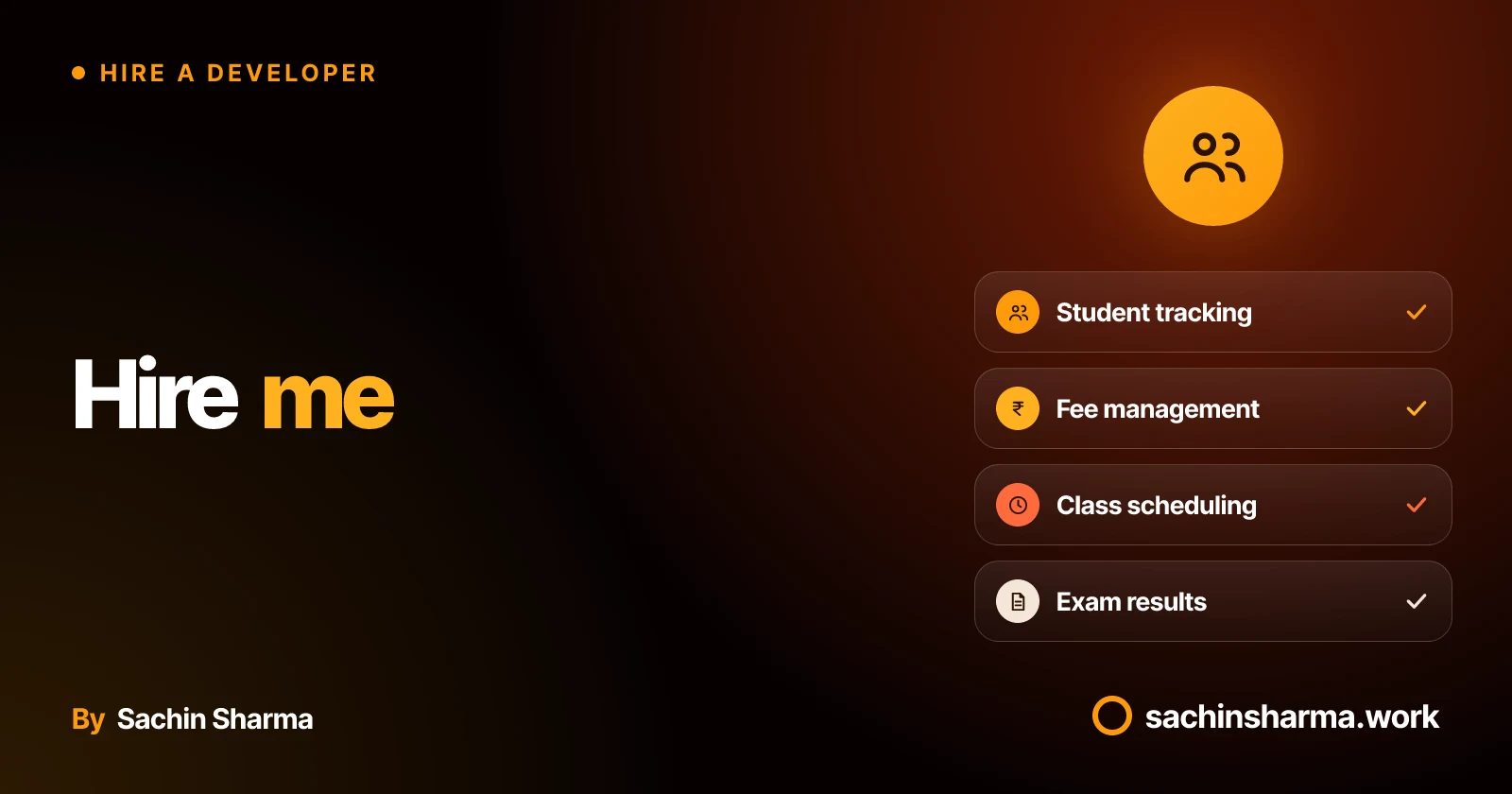
What does a coaching institute app actually do?
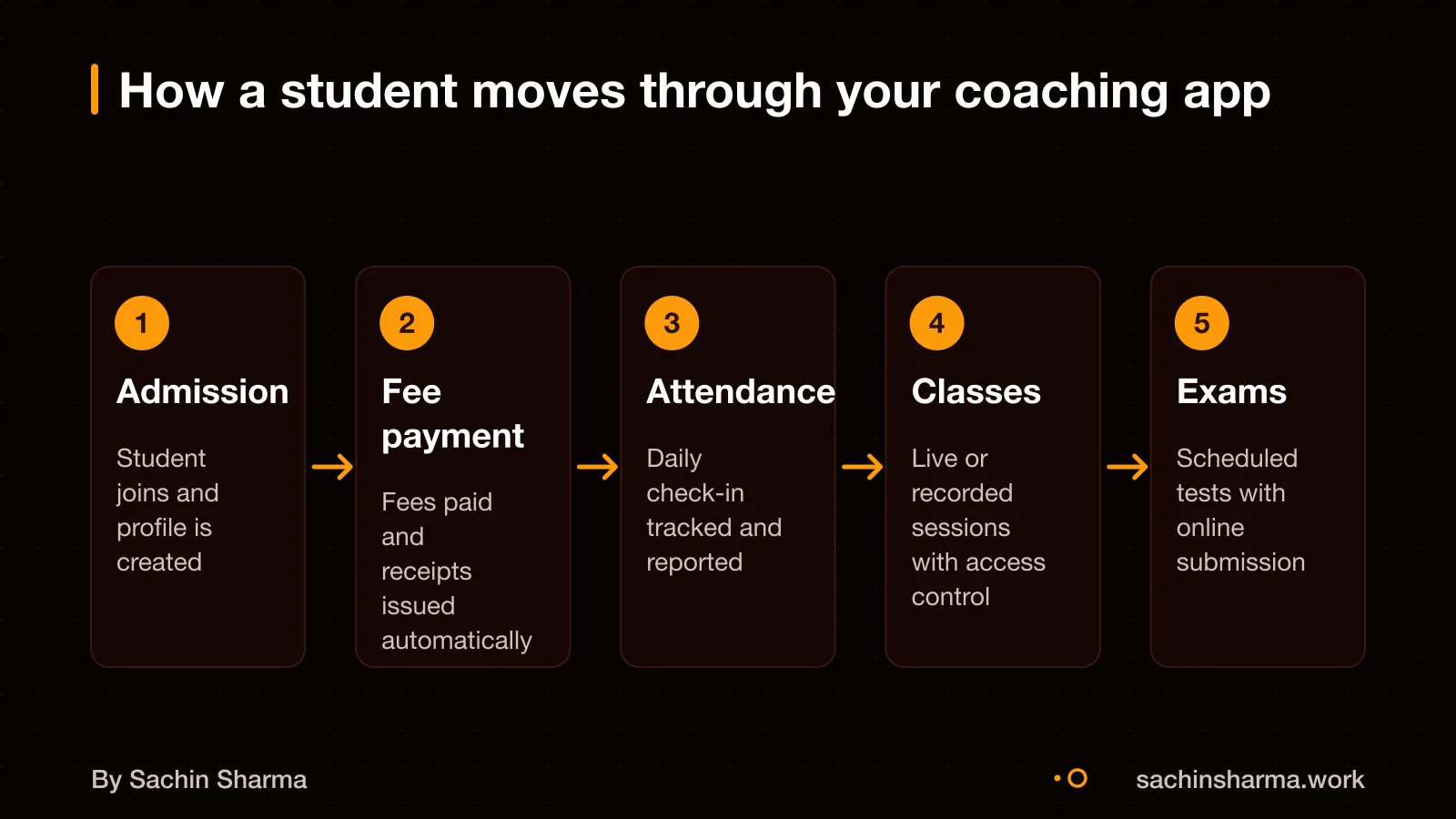
A coaching institute app helps you manage students from admission to placement. Some student information systems handle admissions, fee collection, attendance, exam scheduling, grading and exit management.. Unlike school apps, it focuses on competitive outcomes, mock tests and All-India rankings. It supports the full student lifecycle, from enquiry to exit. Igniter includes GST automation and an AI doubt tutor.. Igniter includes live classes, mock tests with All-India rank, AI doubt tutor, and GST automation... This keeps everything in one place and reduces manual work.
See how edtech startups structure their workflows to scale without hiring more staff.
Custom app vs ready-made software: which fits my institute?
Choose ready-made software when you need fast setup, standard features, and lower upfront cost. It works well if your coaching institute runs on common workflows like batch scheduling, fee reminders, and student progress tracking. You pay a monthly fee and start in days, not months.
A custom app makes sense when the software itself is your product, not just how you deliver coaching. It fits if you need unique workflows, private data control, custom reporting, or integrations that off-the-shelf tools do not allow. For example, if you bundle AI-powered study plans or offline-first access for low-connectivity areas, a custom build gives you full control.
The trade-off is cost, time, and effort. Ready-made tools are cheaper at first but limit what you can change. Custom apps cost more upfront and take longer to launch, but you own the code and can adapt it as your institute grows. You also avoid recurring per-student fees that add up over time.
If your teaching method is different or you plan to scale across cities with tailored rules. A custom app may save money and effort in the long run. But if you want to test demand or run a small batch, start with ready-made software.
To decide, ask: is software a support tool, or is it central to your edge? The answer shapes your choice.
Build or buy: when to custom-build vs rent
How much does a custom coaching app cost?
As an estimate, a custom coaching app starts around ₹15 lakh, based on a common baseline of EUR 20,000. This is just the build cost. Each added feature like live classes, payment tracking or parent dashboards can raise the price quickly. You pay more if you need deep integrations, offline access, or custom AI tools.
Ready-made tools cost less up front. Igniter charges a one-time ₹9,999 for the app and takes 5% of actual course sales. Their Enterprise plan starts at ₹1 lakh plus GST, with scope finalised on a call. These platforms handle updates and hosting, so your monthly cost is predictable.
Many miss the ongoing cost of maintaining a custom app. You will likely need a developer on retainer or in-house, indefinitely, just to keep it working and updated. App store policies, OS updates, and bug fixes do not stop after launch.
Compare that to ready-made tools, where updates and support are included. With a custom build, you own the code, but you also own every future fix.
For a detailed cost tailored to your institute, it is best to map your needs first. Features, user load, and integration depth are the main cost drivers.
What does a coaching or test-prep app cost?
Want a number for your idea? Send one line on WhatsApp. I reply with what drives the cost and what to cut.
Message me on WhatsAppHow long does it take to build and launch?
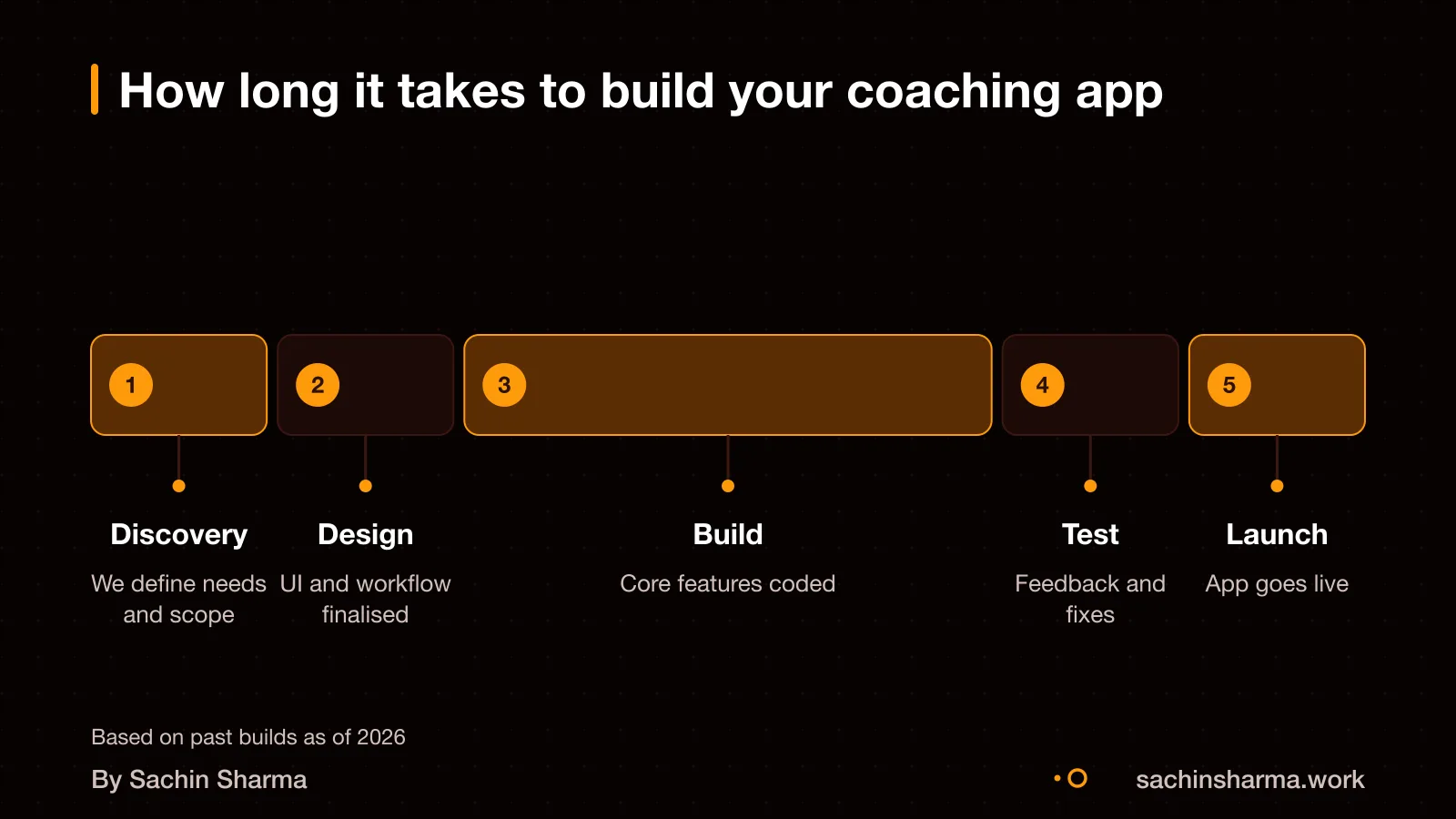
A custom coaching app often takes months to build, including planning, core features, testing and app store approval.. If you add AI features like smart reminders or auto-summarised parent updates, expect an extra 2 to 4 weeks for API-based AI features.. App store review times can add delays, especially if rejections happen.
What adds time: scope changes during development, late testing cycles, and unstable third-party tools like payment or messaging APIs. Compliance checks for student data and slow feedback from your side also slow things down. A fixed scope, prompt reviews, and using proven tools help stay on track.
For example, a basic app with student login, fee tracking and announcements can be ready in 4 months. But if you later add AI-generated progress reports or live parent-teacher chat, the timeline extends. Each new feature must be tested and approved.
Building on a ready-made platform can get you live in days instead of months. But that limits custom features. A custom build gives full control, but takes longer. Choose based on how unique your workflow is.
How do we work together during the build?
We follow a clear process: discovery, architecture, build, test, and launch. You get weekly updates and full visibility into progress. I handle coding, compliance checks, and app store submission. You provide access to data, finalise content, and make timely decisions to keep things moving.
Work is structured in phases. First, we define your institute’s flow, how students join, pay, attend classes, and take tests. Then, I design the app’s structure and confirm it with you. Next, we build core features in order of importance, test each one, and fix issues early.
Compliance checks are built in. Modern application delivery includes compliance validation as part of the process.. If it handles payments, we follow PCI-DSS guidelines through a certified gateway. I test security, performance, and offline use before launch.
We communicate over WhatsApp or email for quick replies. For weekly reviews, we use Google Meet. I share progress every Friday, a short video or link to test the latest build.
You need to provide student data formats, fee plans, course outlines, and logo or branding early on. During the build, you must confirm screens, approve workflows, and answer questions within two days. Delayed input slows down delivery.
What risks should I plan for?
The most common causes of app development delays include scope creep, late QA cycles, unstable third-party integrations, compliance reviews, and slow stakeholder responses.. If new features are added mid-way, the timeline will extend. Testing takes longer when updates come in batches instead of weekly.
Unstable third-party integrations can cause delays. Even app store reviews can cause delays. If Apple or Google rejects your app for privacy, performance, or guideline issues. App store review rejections can delay the release by days or even weeks..
Scope changes are normal, but they must be tracked. We will log each new request and assess its impact on time and cost. You can choose to include it now or save it for a later update. This keeps the project on track without surprises.
A custom build requires a real budget for the build and years of maintenance after it.. Unexpected fixes, OS updates, and user feedback will require ongoing work. Plan for this from the start.
Can I see proof of your experience?
Yes, I have built apps that handle student workflows and learning tools, though I cannot share client names publicly without permission. I worked on Daily, a Flutter app for exam aspirants that delivers daily current affairs, quizzes, and progress tracking.
I have also developed Aashwasan, a gig and contract management app using Flutter and Firebase, which managed user roles, schedules and payments. For AI-powered tools, I built EHR Copilot, a Next.js app that turns session notes into structured records. Showing my ability to handle sensitive data and automate documentation.
The student lifecycle includes admission, attendance, exams, grading and exit management. You can see Daily in action and ask me for a demo or a use case match to your institute’s needs.
Daily: a Flutter current-affairs and quiz app shows how I design for learners and test prep.
Have a plan in mind? Send it and I will mark what is missing or risky.
Message me on WhatsAppWho owns the code and can I switch developers later?
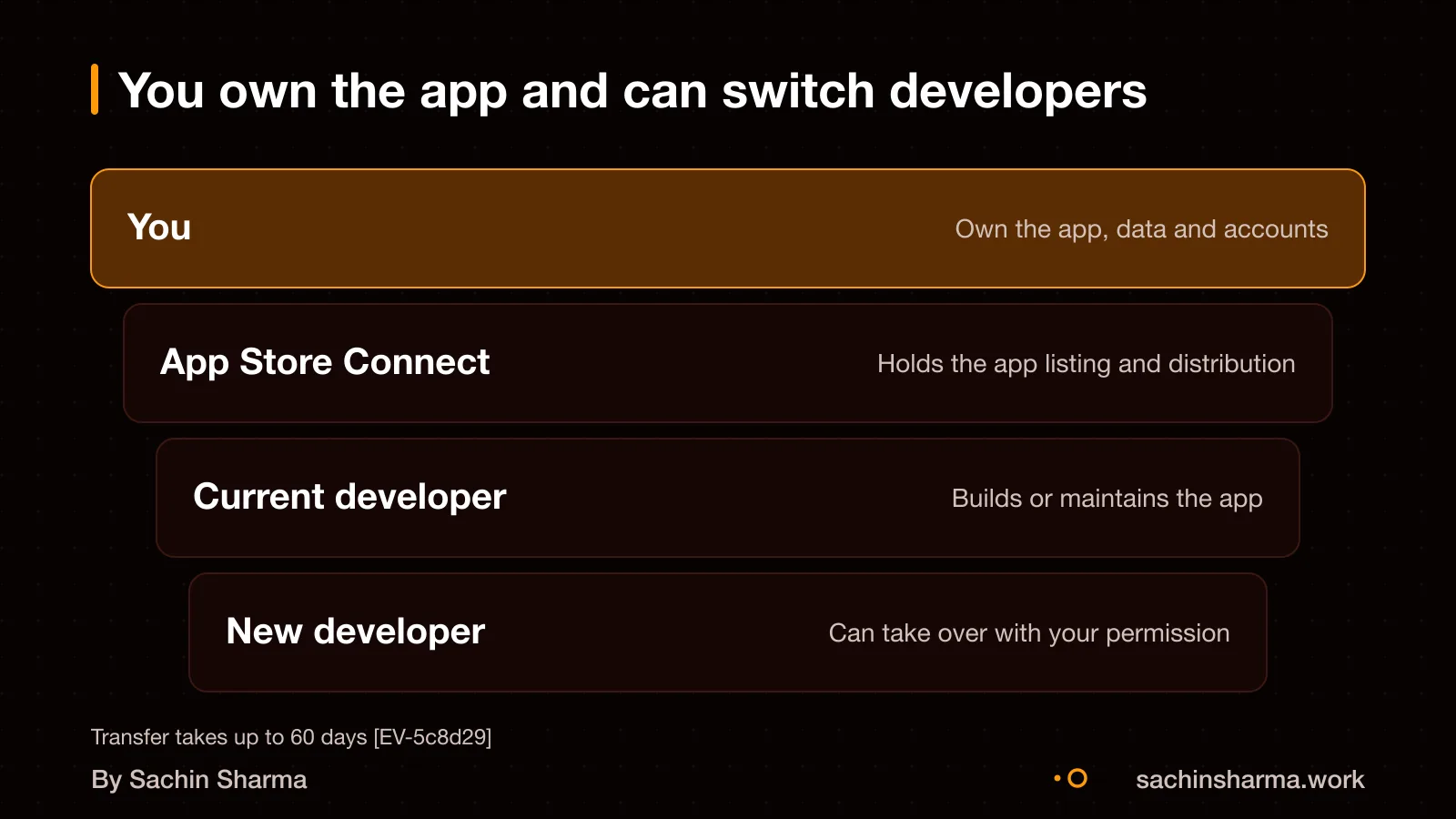
You fully own the source code of your custom app. This means you can update it, change features, or hand it over to another developer at any time. There is no lock-in.
Yes, you can take the app to another developer. The transfer happens through Apple’s App Store Connect system. I will start the process by adding the new developer’s team as the recipient under your account.
The app stays live during the transfer. It shows a “Pending App Transfer” status until the new team accepts it. The transfer process can take up to 60 days if the recipient accepts within that window. Your app’s name and Bundle ID stay the same.
You keep full control throughout. Before beginning, you’ll need the Apple Account for the Account Holder in the receiving organization.
For steps to verify code access and prepare for future handover, see Can I get the source code of my app?.
Assumptions behind the numbers
- Assumption: Coaching app includes student management, fee tracking, and messaging.
- Assumption: App serves 1,000+ students across multiple branches.
- Assumption: Custom app cost starts at ₹15 lakh based on EUR 20,000 exchange rate.
- Assumption: Timeline of 4–6 months includes design, build, and app store approval.
The chapters
A step-by-step guide to hiring a developer for your coaching institute app. Takes about ten minutes and can save you months.
10 min read, in 6 chapters.
01 · Start here
Define your app's purpose
Before talking to developers, write down who the app is for, what problem it solves, and three things that must work on day one. This helps developers give you a realistic quote instead of a guess.
You don’t need designs or a long feature list yet. Focus on what your students and teachers will do with the app daily. For example: view timetables, pay fees online, or ask doubts.
Do this One page. Three must-haves. No more.
02 · Decide
Choose between ready-made and custom
Ready-made tools like Igniter or Coachway are cheaper and faster but offer limited flexibility. Custom apps cost more (starting at ₹15 lakh) but let you build exactly what you need.
Go custom if your workflows are unique, you handle 1,000+ students, or you plan to scale across cities. Otherwise, try a platform first.
Do this Ask if the tool lets you export data later.
03 · Find
Find and shortlist three developers
Look for developers with real apps in the Play Store, not just screenshots. Check if they’ve worked with coaching institutes before.
Talk to three, not ten. Ask them how they’d solve your top three needs. A good developer will ask about your students before quoting a price.
Do this Prefer people who ask about your users before your budget.
04 · Verify
Check past work and talk to clients
Open two apps they’ve built on your phone. Ask them what they would improve in their own work. Call one past client to ask if the app still works and if they’d hire the same person again.
A portfolio of screenshots proves nothing. A shipped app and a willing reference show real experience.
Do this Call one past client. It takes ten minutes.
05 · Agree
Sign a clear contract
The contract must say what’s included, how changes are priced, who owns the code, and what happens if the project stops early. Make sure the app store accounts and code repository are in your name from day one.
Without this, you risk losing access to your app or paying for fixes that should be included.
Do this If it isn't written down, it isn't included.
06 · Finish
Test, pay and take control
Pay after testing each milestone, not before. At the end, you should get the source code, app store accounts, and a guide on how it all works.
Plan for bugs after launch. Real users find issues that testers miss, so agree on post-launch support in advance.
Do this Keep one backup of everything, somewhere you control.
Quick answers
How much should I pay up front?
Never pay the full amount upfront. A small first payment (10–20%) is common, but tie the rest to milestones you can test.
Do I need a technical co-founder?
Not for a first version. But you do need someone technical to ask hard questions of your vendor. That can be a paid hour with an independent advisor.
Can I switch developers later?
Yes. With a custom app, you own the code. Transfers via App Store Connect take up to 60 days.
What if the app is delayed?
Delays often come from unclear scope, late feedback, or third-party issues. Agree on penalties for missed deadlines in writing.
Is AI worth adding now?
API-based AI adds 2–4 weeks. Custom AI models take months. Start with core features and add AI later if needed.
Should I build iOS too?
Start with Android. Most coaching students in India use Android phones. Add iOS after the first version works well.
What about maintenance?
Custom apps need ongoing care. Budget for a retainer or hire someone in-house. Platforms like Igniter include upkeep.
Questions people ask
Yes, you can start with a ready-made tool and move to a custom app later. This makes sense when your software becomes your product, not just a delivery channel. Choose custom development if you need unique workflows, private data control, or long-term ownership.
Yes, I use Flutter for coaching apps. It allows fast cross-platform builds and offline support. I have built personal and client apps with Flutter, including offline-first designs like Loopin and Daily. Loopin supports habit tracking and Daily includes quizzes.
Adding API-based AI features takes 2 to 4 weeks. Custom AI models take several months. For example, Igniter includes an AI doubt tutor powered by APIs. Plan AI early to avoid delays in your launch timeline.
Mandatory review cycles are needed for data protection laws and security standards. This ensures compliance with data protection laws and security standards. Check this for your case with a chartered accountant or lawyer.
Yes, offline-first design is possible. I have built apps like Loopin and Daily that work without internet and sync later. Confirm your specific use case during planning so we can design the right sync and storage logic.
App store rejections can delay launch by days or weeks. Common reasons include privacy disclosures, SDK issues, or guideline violations. Mobile apps face delays due to app store reviews and stricter privacy enforcement.
Training is not included by default. If you need handover sessions or team training, confirm this in your contract. I can guide your team through the code and workflows as an added step.
Yes, you can see the code during development. You get direct access so you can review progress anytime. This builds trust and lets you spot issues early. See how it works in projects like Daily.